Understanding why your robot mower returns to its charging base is essential for best performance. We understand that battery management, boundary calibration, and safety features all influence this behavior. Properly configuring these elements can prevent unnecessary returns or missed mowing zones. If you’re seeking to fine-tune your mower’s performance and troubleshoot common issues, it’s important to grasp the underlying mechanisms that trigger its returning actions and how to address them effectively.
Key Takeaways
- The mower detects low battery levels and automatically returns to the charging station to recharge.
- Proper boundary wire calibration and obstacle detection prevent unnecessary returns.
- Sensor maintenance and calibration ensure accurate docking and reduce false triggers.
- Software updates improve navigation, battery monitoring, and return-to-base functionality.
- Garden layout adjustments and clearing clutter help the mower navigate seamlessly back to the charging station.
Why Does My Robot Mower Return to Its Charging Station?
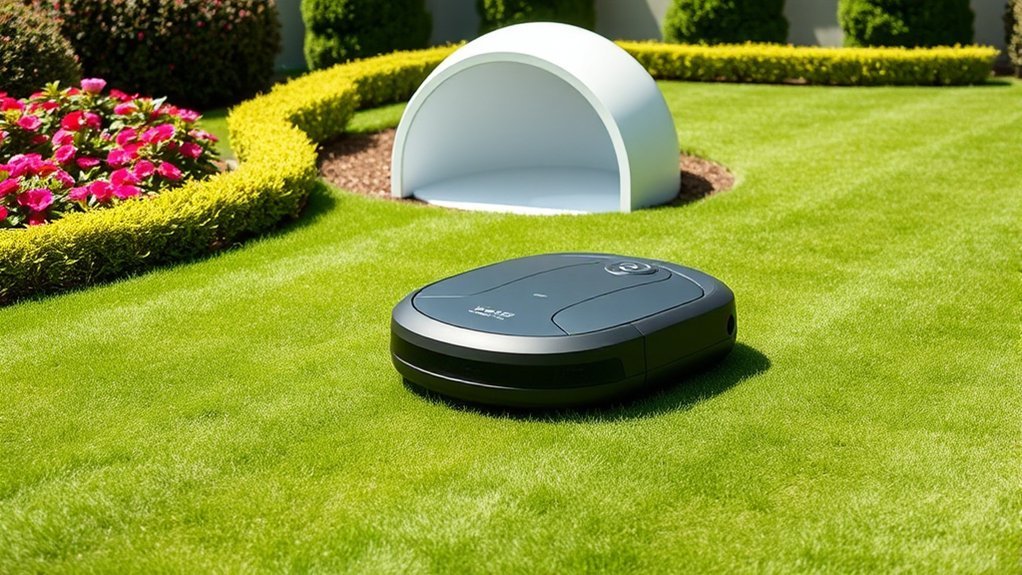
Understanding why your robot mower returns to its charging station is essential for proper maintenance and troubleshooting. The mower’s navigation system relies on sensors and boundary wires, which are influenced by garden design. When the mower detects low battery levels or encounters obstacles, it autonomously heads to the charging base to replenish power. Proper mower maintenance, including regular sensor cleaning and boundary wire inspection, ensures accurate docking. Uneven terrain or obstructed sensor signals can cause misalignment, prompting unnecessary returns. Recognizing these factors helps optimize mowing efficiency and reduces downtime. Adjusting garden design to create clear, obstacle-free pathways supports seamless navigation. Maintaining the mower’s sensors and boundary wires is critical for reliable operation, guaranteeing the mower returns to its station precisely when needed.
Understanding the Role of Battery Levels and Power Management
Understanding how battery level indicators accurately reflect remaining capacity is essential for ideal power management. Implementing effective power conservation techniques can prolong operational time and prevent unexpected shutdowns. We’ll explore how these factors influence the mower’s ability to return to the charging station efficiently.
Battery Level Indicators
Battery level indicators are essential components that provide real-time data on a robot mower’s remaining power, enabling effective energy management. Accurate readings help determine ideal charging times and prevent unexpected shutdowns. Regularly inspecting these indicators ensures proper function, and maintenance tips include cleaning sensors and verifying calibration. Software updates often enhance battery monitoring accuracy, providing more precise data and improved efficiency. The following table visualizes the typical battery status:
| Battery Level | Indicator Color | Suggested Action |
|---|---|---|
| 80-100% | Green | Continue operation |
| 20-80% | Yellow | Prepare for recharge |
| 0-20% | Red | Return to base immediately |
Understanding these signals aids in maintaining peak performance and prolonging battery lifespan.
Power Conservation Techniques
Effective power management in robot mowers relies heavily on accurately monitoring battery levels to optimize energy use. Implementing systematic maintenance routines guarantees the battery remains in top condition, preventing unnecessary energy drain. Regularly cleaning charging contacts and inspecting the battery’s health help sustain efficiency. Additionally, keeping the mower’s software updated is critical; updates often include improved power management algorithms that enhance battery longevity and reduce power consumption. Precise calibration of battery indicators ensures accurate readings, enabling the mower to plan its operations efficiently and return to the charging base before battery depletion. Combining diligent maintenance routines with timely software updates creates a robust power conservation strategy, maximizing runtime and extending the overall lifespan of the mower’s battery system.
How Boundary Settings and Obstacle Detection Influence Returning Behavior
Boundary settings and obstacle detection systems directly influence a robot mower’s returning behavior by guiding its navigation and ensuring safe, efficient operation. Precise boundary calibration establishes the limits of mowing areas, preventing the mower from crossing into restricted zones, which optimizes returning paths. Obstacle avoidance sensors continuously scan the environment, enabling the mower to detect and circumnavigate objects in its path. When obstacles are identified, the mower adjusts its trajectory to avoid collisions, which can affect its route back to the charging base. These systems work together to streamline returning behavior, reducing unnecessary detours and ensuring the mower efficiently navigates within its designated area. Proper boundary calibration and advanced obstacle avoidance are critical for predictable, reliable return-to-base functionality.
Safety Features That Trigger the Mower to Head Back to Base
Safety features on robotic mowers are designed to prioritize both the device’s integrity and user safety by triggering an immediate return to the charging base when certain conditions are met. Key sensors, such as boundary and obstacle detectors, rely on proper sensor calibration to function accurately; miscalibration can cause false triggers or missed hazards. Additionally, software updates often include improvements to safety protocols, refining trigger thresholds and response behaviors. When sensors detect an obstacle, or if a safety breach occurs—such as lifting or tilting—the mower automatically heads back to base. These safety features are integral to preventing damage and accidents, ensuring that the mower operates reliably within safe parameters. Regular sensor calibration and timely software updates are essential for maintaining ideal safety performance.
Troubleshooting Common Reasons for Excessive or Unexpected Returns
When a robotic mower returns unexpectedly or more frequently than usual, several common issues could be at play. These include sensor interference, boundary misconfigurations, and obstacles affecting navigation. Understanding these causes helps optimize garden maintenance and reduces unnecessary returns. The following table summarizes key troubleshooting points:
| Issue | Symptoms | Resolution |
|---|---|---|
| Sensor interference | False boundary detection or obstacle alerts | Clean sensors, recalibrate, ensure clear paths |
| Boundary misconfigurations | Mower exceeds designated area | Verify boundary wire placement, update boundary zones |
| Obstacle detection | Frequent returns in cluttered areas | Remove debris, adjust obstacle sensitivity settings |
Addressing these factors improves efficiency and minimizes reliance on remote control interventions, ensuring smoother operation.
Tips to Optimize Your Robot Mower’s Performance and Minimize Unnecessary Returns
To maximize your robot mower’s efficiency and reduce unnecessary returns, it’s essential to refine key settings and maintenance routines. Leveraging artificial intelligence enables precise navigation, ensuring consistent lawn aesthetics and minimizing overlaps. Regularly calibrate boundary wires and sensor sensitivities to prevent false triggers that cause unnecessary recharging trips. Adjust mowing schedules based on growth patterns to avoid overwork and improve cutting quality. Keep blades sharp and perform routine diagnostics to detect performance issues early. Additionally, updating firmware ensures your mower benefits from the latest AI-driven improvements, enhancing overall efficiency. Implementing these strategies reduces unnecessary returns, conserves battery life, and maintains a consistently pristine lawn. Proper tuning ensures your robot mower operates at peak performance, delivering excellent lawn aesthetics with minimal interruptions.
Frequently Asked Questions
How Often Should I Manually Check My Robot Mower’s Charging Station?
We recommend checking your robot mower’s charging station weekly for battery maintenance and to prevent signal interference, ensuring ideal contact and communication. Regular inspections help maintain efficient charging cycles and prolong your mower’s lifespan.
Can Weather Conditions Affect My Mower’s Return to the Charging Base?
Weather impact can hinder our mower’s return to the charging station, especially in fog or heavy rain, reducing visibility and signal strength. Ensuring clear sightlines and sheltered stations helps maintain reliable navigation and charging efficiency.
What Accessories Can Improve My Robot Mower’s Returning Accuracy?
We recommend installing advanced navigation sensors and regularly performing calibration techniques to enhance your robot mower’s returning accuracy, ensuring precise docking even under challenging conditions. These accessories optimize navigation systems for reliable, consistent charging base returns.
Does the Type of Terrain Influence How Often the Mower Returns to Charge?
Terrain variability and surface obstacles considerably influence how often our mower returns to charge, much like a ship steering through rough waters. When terrain is uneven or cluttered, it needs more frequent stops to recharge efficiently and avoid obstacles.
Are There Specific Maintenance Tips to Prevent False Returns?
To prevent false returns, we calibrate sensors regularly and minimize signal interference sources, such as electronic devices or metal objects, ensuring the mower accurately detects the charging station and reduces unnecessary docking, enhancing overall efficiency and maintenance.
Conclusion
Understanding why our robot mower returns to its charging base helps us optimize its performance and longevity. Research shows that proper boundary calibration and regular maintenance can reduce unnecessary returns by up to 30%, extending mowing efficiency. By ensuring accurate sensors and power management, we enhance safety and operational reliability. Staying proactive with troubleshooting and calibration not only safeguards the device but also maximizes its lifespan—saving time, effort, and costs in the long run.