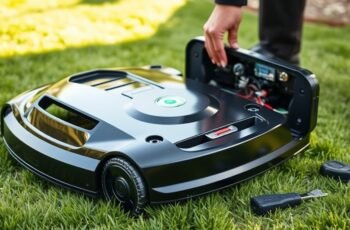
When our robot mowers fail to dock properly or experience inconsistent charging, it often points to underlying issues with the charging station. These problems can stem from power supply faults, contact point corrosion, or firmware glitches. Understanding the root causes requires a systematic approach, as seemingly minor faults can escalate into larger operational failures. Identifying these issues early can save time and prevent costly repairs, but pinpointing the exact cause often involves detailed troubleshooting steps.
Key Takeaways
- Check for dirt, corrosion, or damage on contact points to ensure proper electrical connection.
- Verify firmware and software are up-to-date to avoid communication and power management issues.
- Inspect power cables and outlets for damage, loose connections, or voltage inconsistencies.
- Reset the charging station and mower modules to resolve glitches and connection errors.
- Monitor for signs of wear or physical damage, replacing the station if persistent malfunctions occur.
Common Signs Your Robot Mower Charging Station Isn’t Working Properly
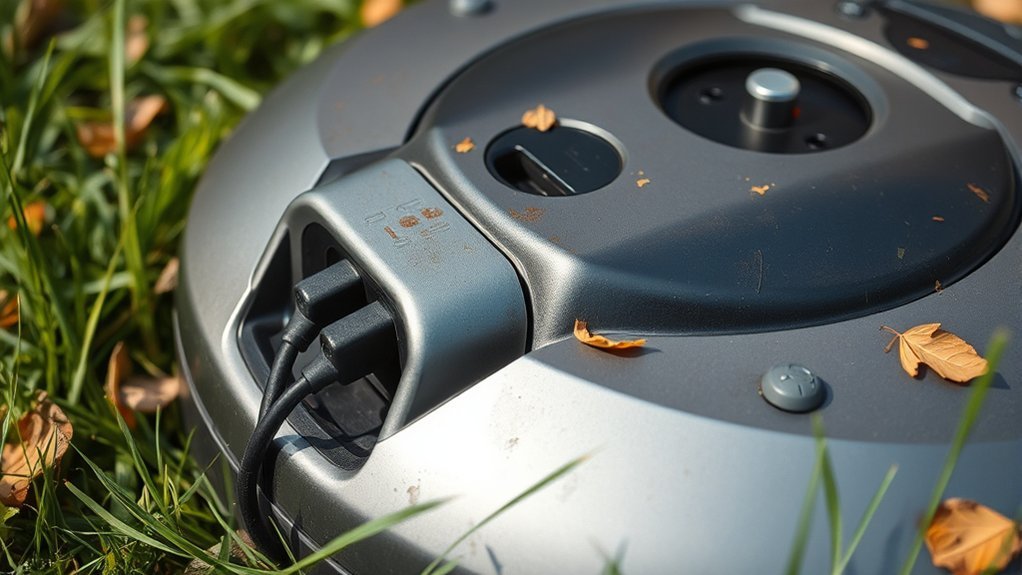
When a robot mower’s charging station malfunctions, it often exhibits specific, observable symptoms that can signal underlying issues. One common sign is inconsistent charging behavior, where the mower repeatedly fails to dock properly or requires manual intervention. If the remote control commands aren’t registering correctly, it may indicate communication disruptions between the station and the mower. Additionally, outdated software updates can impair the station’s ability to recognize the mower or respond reliably. You might notice delayed responses or connectivity errors during operation. These symptoms suggest malfunctioning components or software conflicts that hinder proper docking. Recognizing these signs early helps in diagnosing potential problems, ensuring timely troubleshooting and preventing further damage to the charging station or mower.
How to Check If the Power Supply Is Faulty or Disconnected
A key step in diagnosing charging station issues involves verifying the power supply’s integrity. First, check if the power cord is securely connected and look for any visible damage or disconnections. Use a multimeter to measure voltage at the power outlet and confirm it matches the station’s specifications. If the power supply appears functional, consider performing a software update on the charging station, as outdated firmware can sometimes cause detection issues. Additionally, if the station’s battery is old or faulty, replacing it might resolve power inconsistencies affecting charging. Always confirm that the power source is stable before proceeding to other troubleshooting steps. Guaranteeing proper power delivery helps isolate whether the problem stems from the power supply itself or other components.
Troubleshooting Connection Issues Between the Mower and Charging Station
Connection issues between the mower and charging station often stem from misaligned contacts, software glitches, or interference in communication signals. To troubleshoot effectively, we analyze connection stability by examining software updates, signal interference, and contact alignment. Referencing the user manual guidelines guarantees proper calibration and resets.
| Issue | Diagnostic Approach | Resolution |
|---|---|---|
| Misaligned contacts | Check contact alignment visually | Realign contacts as per manual guidelines |
| Software glitches | Restart mower and update robot mower software | Perform firmware updates if available |
| Signal interference | Eliminate nearby wireless devices | Isolate station from electronic interference |
This structured approach helps identify root causes and restores reliable communication between the mower and station efficiently.
Why Your Charging Station’s Contact Points Might Be Dirty or Damaged
We observe that corrosion or dirt accumulation on contact points can disrupt electrical connections, leading to charging failures. Additionally, damage from wear and tear may impair the mechanical and conductive integrity of these contacts. Identifying these issues promptly is essential for maintaining reliable station performance.
Signs of Corrosion or Dirt
Corrosion and dirt buildup on the contact points of a charging station can considerably impair its ability to deliver consistent power. Visible signs include greenish or white residue, tarnished metal surfaces, or accumulated debris, indicating corrosion. Dirt or grime may appear as dark, greasy patches, reducing contact efficiency. These issues often stem from environmental exposure or poor maintenance, affecting both the charging station’s performance and aesthetics. Dirty contact points can cause intermittent charging or complete failure, prompting inspection of robot mower accessories for signs of contamination. Recognizing these signs early helps prevent further damage and maintains ideal operation. Regular cleaning and corrosion-resistant coatings can preserve the charging station’s functionality and improve its overall appearance.
Damage From Wear and Tear
Over time, the contact points on a charging station can sustain damage due to regular wear and tear from repeated docking and undocking of the robot mower. This physical degradation can lead to poor electrical conduction, directly impacting charging efficiency. Damaged contact points may cause inconsistent power transfer, resulting in incomplete or delayed charging cycles. Consequently, the battery lifespan of the mower can be shortened, as inadequate charging cycles accelerate battery degradation. Wear and tear may also cause micro-cracks or corrosion that further impair contact quality. Regular inspection and maintenance are essential to prevent these issues. Ensuring contact points are clean, intact, and properly aligned helps maintain ideal charging performance, extending both the battery lifespan and overall operational reliability.
Understanding and Fixing Power Supply Failures in Charging Stations
To address power supply failures, we first need to identify potential issues with the power source, such as circuit breaker tripping or voltage inconsistencies. Troubleshooting the charging cables involves checking for internal breaks or corrosion that could disrupt current flow. Ensuring proper outlet connections requires verifying that cords are securely plugged in and compatible with the station’s power requirements.
Identifying Power Source Issues
How can we effectively identify power source issues in a robot mower’s charging station? First, we assess the battery calibration, ensuring the mower accurately reports its battery status, which can mask underlying power supply problems. Firmware updates are critical; outdated firmware can cause miscommunication between the mower and charging station, leading to power errors. We verify that the station receives consistent power input, inspecting wall outlets and circuit breakers. If the station’s internal components are functioning correctly, but issues persist, we analyze the power consumption patterns during charging cycles. Consistent, abnormal fluctuations often indicate voltage instability or inadequate power delivery, rather than hardware failure. By systematically checking calibration, firmware, and power input stability, we can precisely identify and address underlying power source issues.
Troubleshooting Charging Cables
When troubleshooting power supply failures in a robot mower’s charging station, inspecting the charging cables becomes a fundamental step. First, check for visible damage such as frays, cuts, or corrosion, which can interrupt electrical flow. Verify connectors are securely seated and free of debris. If cables appear intact but issues persist, consider performing a software update on the mower; sometimes, firmware glitches impact charging communication. If the battery has been in service for an extended period, a faulty or degraded battery may cause charging failures, necessitating a battery replacement before further troubleshooting. Confirm that the charging station’s voltage matches specifications and test the cables with a multimeter for continuity. Addressing these points systematically helps isolate whether the problem stems from cables, software, or the battery itself.
Ensuring Proper Outlet Connection
Ensuring the charging station is properly connected to its power outlet is essential for reliable operation, as a faulty or insecure connection can lead to power supply failures. We recommend checking the outlet for secure attachment and testing voltage levels to confirm consistent power delivery. If issues persist, inspecting the power cord and plug for damage is vital. In cases where the station’s power supply components are compromised, consider a battery replacement if the station relies on internal backup power. Additionally, keeping the station’s firmware up-to-date through software updates can address underlying power management issues that affect outlet recognition and stability. Regularly verifying these connections and updates helps prevent power failures, ensuring consistent charging for your robot mower.
How to Reset Your Charging Station and Re-Establish Proper Communication
Resetting your charging station is an important step in restoring proper communication between your robot mower and its docking unit. Begin by disconnecting the station from power to perform a complete reset. This process can resolve communication errors caused by misaligned calibration or outdated software. Once reconnected, initiate a battery calibration cycle if available, guaranteeing the mower and station recognize each other’s status accurately. Additionally, verify that your charging station firmware is up-to-date, as software updates often contain essential fixes for connectivity issues. Proper calibration and current software versions facilitate precise docking and data exchange, preventing miscommunication. This systematic reset ensures the station functions best, maintaining reliable communication and efficient operation of your mower.
Signs of Wear or Damage on the Charging Station Components
Over time, physical wear and damage on the charging station components can considerably impair its functionality and communication with the robot mower. Visible signs include corroded contacts, cracked housing, or loose connections, which hinder proper power transfer. Damage to sensors or alignment markers can disrupt accurate docking, affecting battery calibration. Additionally, aging components may cause inconsistent signals, making software updates less effective or delayed. Regular inspection helps identify these issues early, safeguarding the station maintains peak performance. Faulty wiring or corrosion may necessitate cleaning or repairs to restore proper communication. Addressing physical wear promptly prevents escalation, preserves battery calibration accuracy, and guarantees that software updates are properly integrated, ultimately maintaining the charging station’s reliability and prolonging its lifespan.
When and How to Replace Your Robot Mower Charging Station
Knowing when to replace your robot mower’s charging station is crucial to maintaining peak operation and preventing unexpected downtime. Deterioration in wireless connectivity often indicates hardware failure, disrupting communication with the mower. Software updates can sometimes resolve connectivity issues, but persistent failures suggest the station’s components are compromised. If troubleshooting wireless signals or applying updates fails to restore reliable contact, replacement becomes necessary. Additionally, physical wear or damage to the charging contacts, mounting, or housing signals a need for replacement. Monitoring the station’s performance post-update and evaluating connection stability over time help identify decline. Ultimately, timely replacement ensures seamless communication, supports firmware and software updates, and preserves the efficiency of your mowing system.
Tips for Maintaining Your Charging Station to Prevent Future Problems
Regular inspection and cleaning of your charging station are essential for preventing future issues. Dust, debris, and corrosion can impair electrical contacts, reducing efficiency and risking damage to the battery lifespan. Ensuring that contact points are free of obstructions promotes reliable power transfer and minimizes charging failures. Additionally, staying current with software updates for your charging station can optimize charging algorithms and address known bugs, enhancing overall stability. Proper maintenance also involves verifying that ventilation and cooling components are unobstructed, preventing overheating that could degrade hardware components over time. By systematically inspecting and maintaining these elements, you help extend the functional life of both the station and your robot mower’s battery, reducing downtime and costly repairs.
When to Call a Professional for Charging Station Repairs
While minor issues with your charging station can often be addressed through troubleshooting and routine maintenance, certain signs indicate that professional intervention is necessary. Persistent charging failures despite proper robot mower maintenance suggest underlying electrical or sensor faults beyond basic repair. If troubleshooting tips, such as cleaning contacts or updating firmware, don’t resolve the issue, it’s time to consider charging station upgrades or repairs performed by a qualified technician. Additionally, irregular charging patterns or frequent malfunctions may signal deeper electrical problems that require specialized diagnostics. Attempting complex repairs without proper expertise risks further damage or safety hazards. Recognizing these indicators ensures that repairs are handled efficiently and correctly, maintaining ideal operation and prolonging your robot mower’s lifespan.
Frequently Asked Questions
Can Weather Conditions Affect My Robot Mower’s Charging Station?
Weather impact can influence your robot mower’s charging station by causing corrosion or moisture buildup, which affects durability. Extreme weather conditions may disrupt connectivity or damage components, so monitoring environmental factors is vital for maintaining reliable charging station performance.
How Long Should a Robot Mower Charging Station Last?
A robot mower’s charging station typically lasts 3-5 years, like a sturdy bridge enduring daily traffic. Battery lifespan and charging station durability influence this, with regular maintenance extending its operational life and ensuring consistent performance.
Are There Compatibility Issues With Different Robot Mower Brands?
We find that brand compatibility often hinges on adherence to charging station standards, but variations in design and communication protocols can cause compatibility issues among different robot mower brands, requiring careful selection aligned with specific model specifications.
What Safety Precautions Should I Take When Troubleshooting?
Think of troubleshooting as steering through a minefield; we prioritize electrical safety by unplugging devices and wearing insulated gloves. We use proper troubleshooting tools, ensuring precise diagnosis while minimizing risks during any inspection or repair process.
Can a Faulty Charging Station Damage My Robot Mower?
A faulty charging station can damage your robot mower by causing power connection issues, which may lead to electrical faults or reduced durability. Regularly inspecting and maintaining the station helps prevent potential damage and guarantees consistent, safe operation.
Conclusion
In steering the intricate dance of your robot mower’s charging station, we see it as the heartbeat of seamless operation. When issues arise, they’re signals demanding our attention—like cracks in a fortress. By systematically diagnosing and maintaining these components, we reinforce their armor, ensuring reliability. Think of it as tending a delicate engine: with care and precision, we keep the machinery humming smoothly, transforming potential breakdowns into resilient, enduring performance.