Consider a scenario where a robotic mower repeatedly fails to dock properly, despite the station appearing functional. This common issue often signals underlying technical faults that require precise diagnosis. By systematically examining power connections, contact cleanliness, and software status, we can identify the root cause. Understanding these troubleshooting steps is essential for maintaining reliable operation and preventing costly repairs, but the process can be complex without a clear, methodical approach.
Key Takeaways
- Check power connections, wall socket stability, and ensure voltage output with a multimeter.
- Inspect and clean charging contacts for corrosion, debris, or oxidation.
- Verify station placement on a level surface and clear surrounding debris or obstructions.
- Update mower and station firmware to fix compatibility and communication issues.
- Identify signs of electrical faults, such as flickering indicator lights or error codes, and seek professional repair if needed.
How Do Robotic Mower Charging Stations Work?
Robotic mower charging stations function as essential hubs that facilitate seamless operation and maintenance of autonomous mowers. They rely on advanced guidance systems to precisely guide the mower back to the station, even across complex lawn terrain. This involves integrated sensors and mapping algorithms that allow the mower to identify the station’s location accurately, avoiding obstacles and adjusting for uneven ground. The station itself acts as a power source and communication point, receiving the mower’s signals to initiate docking. Precise alignment is critical, especially when steering through varied terrain, ensuring proper contact with charging contacts and efficient energy transfer. Overall, the station’s design optimizes the mower’s operational efficiency, enabling reliable recharging and minimized downtime during routine lawn maintenance.
Identifying Common Signs of Charging Problems
We can identify charging issues by monitoring battery indicator fluctuations, which may signal inconsistent power flow. Additionally, charging station alerts often provide immediate diagnostic information, helping us pinpoint faults quickly. Recognizing these signs enables targeted troubleshooting to maintain ideal mower operation.
Battery Indicator Fluctuations
Fluctuations in the battery indicator often signal underlying charging issues that require prompt diagnosis. Such irregularities can indicate deteriorating battery lifespan, which compromises overall power efficiency. Variations in the indicator may reflect inconsistent charging cycles or internal resistance increases, leading to reduced capacity and erratic power delivery. These fluctuations suggest that the battery’s health is declining, often due to age or excessive cycle counts, impacting the mower’s operational reliability. Monitoring these signs is essential for early intervention, as they can prevent complete battery failure and maintain maximum power efficiency. Diagnosing the root cause of indicator fluctuations involves examining the battery’s charge-discharge patterns and ensuring the charging system maintains a stable voltage supply, thereby safeguarding both battery lifespan and mower performance.
Charging Station Alerts
How can you recognize when your robotic mower’s charging station is experiencing issues? One key sign is persistent alert signals or error codes displayed on the mower or app. These alerts often indicate problems with charging station placement; for example, if the station is positioned in an area prone to weather impact, such as exposed to rain or extreme heat, it can cause connectivity or power issues. Additionally, if the station’s indicator lights remain off or flicker unexpectedly, it may signal electrical faults or poor contact with the mower. Weather impact can exacerbate these problems by causing corrosion or moisture buildup, disrupting normal operation. Regularly inspecting placement and ensuring the station is protected from environmental elements helps mitigate alert triggers and maintain reliable charging performance.
Checking Power Supply and Connections
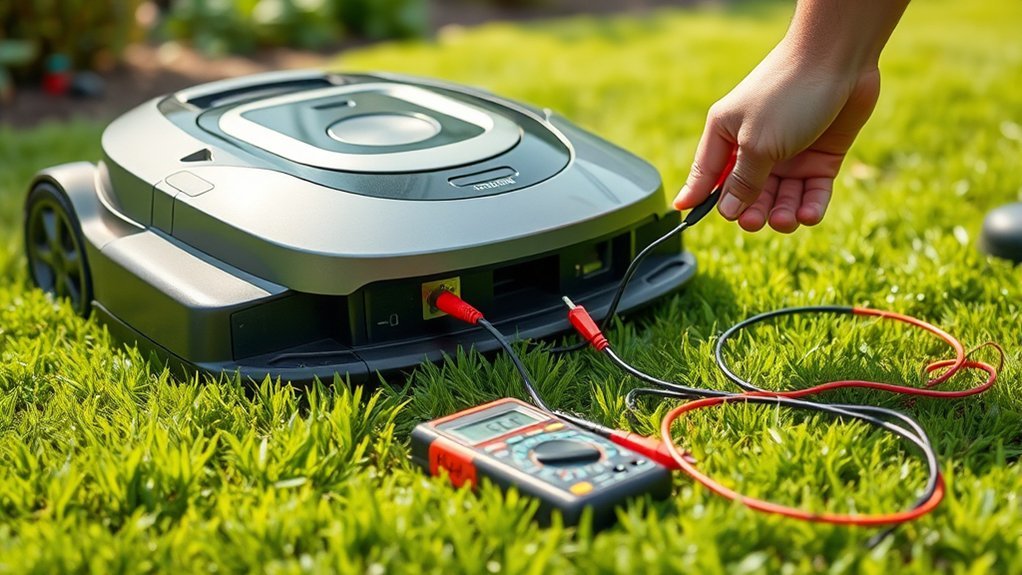
Ensuring the power supply and connections are secure is fundamental to troubleshooting a robotic mower’s charging station. We must verify that power cords are firmly connected to both the station and power source, avoiding loose or damaged wiring. Sudden power surges can disrupt operation, so installing surge protectors is advisable. Additionally, check whether remote monitoring systems report any power irregularities. Use a multimeter to confirm consistent voltage output, ensuring the station receives adequate power. Properly secured connections prevent false alerts and ensure consistent charging. Here’s a quick reference:
| Checkpoint | Action |
|---|---|
| Power cord connections | Ensure tight, undamaged connections |
| Power surge protection | Install surge protector to prevent damage |
| Voltage consistency | Use multimeter to verify stable output |
| Remote monitoring alerts | Review logs for irregular power activity |
| Wall socket condition | Confirm socket supplies consistent power |
Inspecting and Cleaning Charging Contacts
Since dirty or corroded charging contacts can impede proper electrical contact, it’s essential to inspect and clean them regularly. Contact corrosion, often caused by moisture or exposure to environmental elements, can considerably hinder efficient wireless charging. We examine the metal contact points for signs of oxidation or debris buildup, which can increase resistance and reduce charging effectiveness. Cleaning involves using a soft, non-abrasive cloth and, if necessary, a contact cleaner or isopropyl alcohol to remove corrosion without damaging the contact surfaces. Ensuring the contacts are free of debris facilitates ideal electrical transfer, critical for wireless charging systems. Regular maintenance of these contacts prevents issues like intermittent charging or complete failure, enhancing the overall reliability of the robotic mower’s charging station.
Troubleshooting Software and Firmware Glitches
Software and firmware glitches can disrupt the proper functioning of the robotic mower’s charging station, even when physical components are in good condition. These issues often stem from outdated or incompatible software updates and firmware mismatches, which can cause communication errors between the mower and station. To troubleshoot, we recommend verifying that the station’s firmware is compatible with the mower’s current software version. Regularly checking for firmware updates guarantees that known bugs are fixed and compatibility issues are resolved. If glitches persist, performing a complete firmware reinstallation or update can restore stability. Confirming firmware compatibility is critical, as mismatched versions may lead to erratic charging behavior or failure to recognize the mower. Precise management of software updates helps maintain reliable operation and minimizes troubleshooting time.
Testing the Charging Station’s Components
To accurately diagnose issues with the robotic mower’s charging station, we must systematically test each of its core components. First, verify power supply integrity by checking voltage across the terminals. Next, evaluate the wireless charging coil for continuity, ensuring it’s free of shorts or breaks. For solar compatibility, inspect the solar panel connections and assess if the station is receiving sufficient sunlight. Finally, test the control board for proper operation, confirming it signals the charging process. The following table summarizes key components and testing points:
| Component | Testing Method | Expected Result |
|---|---|---|
| Power Supply | Voltage measurement | Correct voltage output |
| Wireless Charging Coil | Continuity test | No shorts or open circuits |
| Solar Panel | Light exposure and voltage output | Adequate current generation |
| Control Board | Signal response during charging initiation | Proper activation signals |
When to Seek Professional Repair or Replacement
While troubleshooting the charging station, recognizing when issues surpass simple repairs and require professional intervention is essential. If you encounter persistent electrical faults, extensive physical damage, or diagnostic complexities beyond basic testing, it’s time to seek expert assistance. Attempting DIY repair in these cases can lead to increased costs, especially if incorrect repairs damage sensitive components or void warranties. Cost implications of improper repairs often outweigh the expense of professional services, which can quickly escalate if underlying systemic issues remain unresolved. When troubleshooting reveals ambiguous fault sources or hardware failures, professional technicians possess the diagnostic tools and technical expertise necessary for accurate resolution. Ultimately, knowing when to escalate repairs guarantees safety, preserves equipment integrity, and mitigates unnecessary expenditure.
Preventive Tips to Avoid Future Charging Troubles
Proactively maintaining the charging station can substantially reduce the likelihood of future issues that require troubleshooting. Regularly inspecting and cleaning contact points guarantees reliable power transfer, preventing navigation errors caused by poor connectivity. Keep landscaping aesthetics in mind by trimming overgrown grass or foliage that might obstruct mower navigation or interfere with station sensors. Assure a level, stable installation surface minimizes misalignment and charging disruptions. Clearing debris around the station prevents dirt buildup that can compromise electrical contacts. Additionally, updating the mower’s firmware can optimize navigation algorithms, reducing the chance of miscommunication with the station. These preventive measures create a stable environment, promote efficient mower navigation, and extend the station’s lifespan, collectively reducing the need for troubleshooting and repair.
Frequently Asked Questions
How Often Should I Perform Maintenance on the Charging Station?
We suggest performing maintenance on the charging station every three to six months, focusing on battery calibration and power supply checks, to guarantee peak performance and prevent issues. Regular upkeep keeps the system reliable and extends its lifespan.
Can Environmental Factors Affect Charging Station Performance?
Environmental factors like weather interference and power fluctuation can substantially impact charging station performance, causing connectivity issues or charging delays. We recommend installing surge protectors and shielding the station to guarantee reliable operation under varying environmental conditions.
What Are the Signs of Internal Component Failure?
We observe internal component failure through signs like battery corrosion, which hampers efficient power transfer, and inconsistent power connection, leading to charging interruptions. These indicators suggest internal issues requiring technical inspection and component replacement for best station performance.
How Do I Reset the Charging Station?
To reset the charging station, we perform a power cycle by unplugging it, wait 30 seconds, then plug it back in. Battery calibration may also be necessary for peak performance, ensuring accurate charging and communication.
Are There Compatibility Issues With Different Robot Mower Models?
We find that model compatibility is essential; not all robotic mowers work seamlessly with every charging station. Ensuring your charging station has the latest updates helps maintain ideal performance across different mower models, minimizing issues and maximizing efficiency.
Conclusion
By systematically addressing each component and monitoring performance, we can often pinpoint the root cause of charging issues. However, persistent problems may signal deeper system failures that aren’t immediately apparent. Ignoring these signs risks further damage or safety hazards. We must stay vigilant, prepared to seek professional help when necessary. The question remains—are we overlooking subtle clues that could prevent costly repairs down the line? The next step could be the key to ensuring long-term reliability.