Did you know that an improperly placed docking station can substantially reduce your robot mower’s efficiency and lifespan? Ensuring precise location selection is critical for ideal operation, yet many overlook key environmental factors that can interfere with navigation and signal strength. We’ll explore essential considerations to help you identify the best spot, avoid common mistakes, and maximize performance—details that could make a notable difference in your mower’s reliability and maintenance needs.
Key Takeaways
- Place the station on stable, level ground in an accessible, unobstructed area for easy docking and maintenance.
- Position the station in a sheltered spot protected from sun, rain, and extreme temperatures to ensure weather resistance.
- Avoid interference by keeping away from metal objects, electronic devices, and metallic surfaces that can disrupt signals.
- Ensure sufficient space around the station for safe, smooth navigation and regular maintenance tasks.
- Test and adjust placement through manual docking and signal checks to optimize alignment and charging efficiency.
How to Choose the Best Location for Your Docking Station
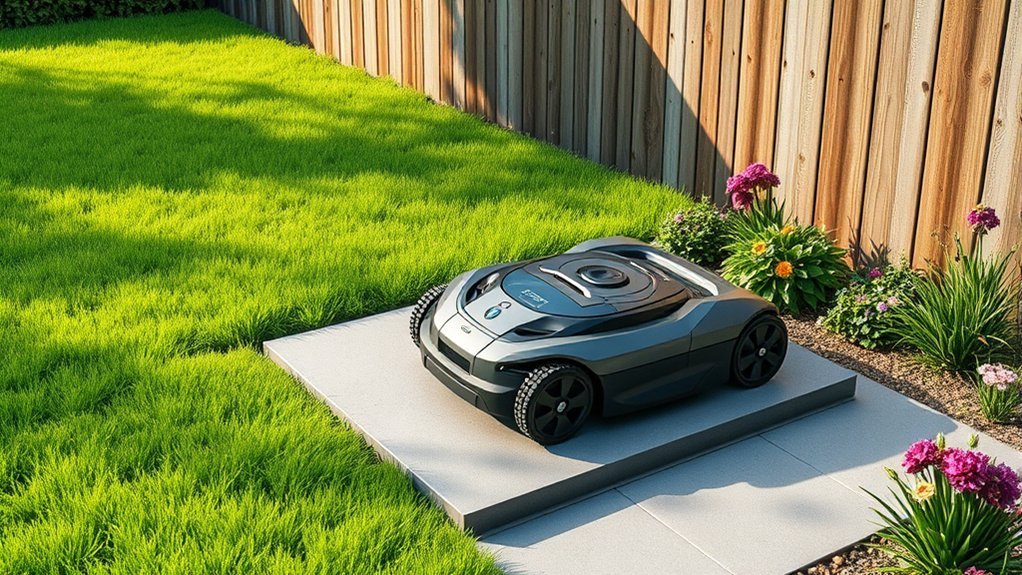
Choosing the most suitable location for your robot mower’s docking station is critical to guaranteeing efficient operation and minimal maintenance. We recommend placing it in an accessible area with stable, level ground to prevent misalignment, which could impact battery life. The site should also maximize weather resistance; select a sheltered position that shields the station from direct sun, rain, and snow, thereby protecting electronic components and prolonging durability. Proper placement reduces the need for frequent cleaning and minimizes exposure to environmental stressors that could compromise the station’s weather resistance. Additionally, positioning the dock in a spot with unobstructed access ensures reliable charging cycles and maintains ideal battery performance, ultimately extending your mower’s battery life and operational lifespan.
Factors to Consider When Planning Docking Station Placement
When planning the placement of your robot mower’s docking station, several critical factors must be carefully evaluated to guarantee ideal performance and longevity. First, assure the location minimizes interference with daily activities, reducing obstacles that could hinder navigation. Second, consider weather resistance; choose a site protected from excessive moisture, direct sunlight, and extreme temperatures to preserve battery life and prevent damage. Third, verify the station’s accessibility for maintenance and battery replacements, ensuring the unit’s durability. Proper placement enhances battery efficiency, extends operational lifespan, and maintains weather resilience. By focusing on these factors, we optimize the docking station’s performance, safeguarding your investment and ensuring consistent, reliable mowing.
Common Placement Mistakes to Avoid for Optimal Performance
One of the most common pitfalls in docking station placement is neglecting the importance of unobstructed access points. Obstructions can impede the robot’s ability to dock efficiently, affecting battery charging and overall operation. Additionally, placement near metal objects or electronic devices can cause signal interference, disrupting communication between the mower and its station. Poor positioning may also lead to inconsistent power transfer during battery charging, reducing runtime and efficiency. To avoid these issues, make certain the docking station is placed in an open, accessible area with minimal electronic interference. Keep the access path clear and avoid metallic surfaces or wireless devices that could interfere with signal transmission. Proper placement guarantees reliable docking, ideal battery charging, and seamless operation.
How to Test and Adjust Your Docking Station Position
To guarantee your docking station is correctly positioned, it’s essential to conduct a systematic test of its placement and make precise adjustments as needed. First, verify the signal strength by observing the robot’s navigation toward the station, ensuring minimal signal interference. Next, perform a battery calibration test by manually initiating a docking sequence to confirm proper alignment and charging efficiency. Finally, observe the docking process over several cycles, noting any misalignments or failed connections.
- Confirm that the signal is strong and free from interference sources, such as metal objects or other electronics.
- Adjust the station’s position slightly to optimize battery calibration, ensuring the robot docks smoothly.
- Repeatedly test docking to validate consistent, reliable connections, making fine-tuned adjustments as required.
Tips for Maintaining Accessibility and Safety in Docking Station Placement
Ensuring the docking station remains accessible and safe requires deliberate placement that considers both operational efficiency and user safety. Proper placement minimizes obstructions, guarantees clear pathways, and facilitates routine maintenance like battery checks. Weather considerations are essential; avoid low-lying areas prone to flooding or locations exposed to direct sunlight, which can affect battery performance.
| Location Factors | Safety Considerations | Maintenance Tips |
|---|---|---|
| Flat, level ground | Clear access routes | Regular battery checks |
| Sheltered from elements | Avoid tripping hazards | Clean charging contacts |
| Adequate spacing | Secure anchoring | Inspect for weather damage |
Frequently Asked Questions
How Often Should I Reposition My Docking Station?
We recommend repositioning the docking station if battery maintenance issues arise or if signal interference occurs, generally every few months, to guarantee ideal charging efficiency and reliable communication between the mower and station.
Can Multiple Robots Share One Docking Station?
Multiple robots cannot share one docking station because of potential signal interference and charging incompatibility. Each robot requires its own dedicated charging station to guarantee reliable communication and proper power connection, preventing operational conflicts and ensuring efficiency.
What Weather Conditions Affect Docking Station Placement?
Coincidentally, weather considerations substantially influence placement challenges; extreme rain, snow, or high humidity can impair docking station functionality, so we recommend selecting sheltered, well-drained locations to guarantee reliable operation and protect electrical components.
Is It Necessary to Secure the Docking Station Permanently?
We believe securing the docking station permanently isn’t mandatory if wireless connectivity remains stable and the power supply is reliable. Proper anchoring prevents accidental displacement, ensuring consistent communication and charging efficiency, which are critical for ideal robotic mower operation.
How Do I Troubleshoot Docking Station Connection Issues?
We troubleshoot docking station connection issues by checking battery maintenance, ensuring the station’s power supply is stable, clearing signal interference sources, verifying antenna positioning, and resetting the station to restore ideal communication with your robot mower.
Conclusion
By carefully selecting and testing our docking station’s placement, we guarantee reliable operation and extend our mower’s battery life. While some may worry about the effort involved, proper setup minimizes future maintenance and troubleshooting. Investing time upfront guarantees smooth navigation and consistent performance. With precise positioning and regular adjustments, we maximize efficiency and safety, ultimately protecting our investment and assuring our lawn stays perfectly maintained without interruption.