When our robot lawn mower fails to dock properly, it can stem from various technical issues that disrupt its navigation and communication with the charging station. Factors like sensor misalignment, boundary wire faults, or electromagnetic interference often contribute to these failures. Understanding the precise causes is vital to guarantee dependable operation. Exploring the common reasons behind docking problems and their solutions helps maintain peak performance, but identifying the root cause can sometimes be more complex than it appears.
Key Takeaways
- Check and clean sensors and docking station for dirt, debris, or corrosion to ensure proper signal detection.
- Verify boundary wire integrity and alignment to prevent navigation and docking errors.
- Perform battery calibration regularly to improve communication and docking accuracy.
- Adjust navigation and boundary settings to correct misalignment and enhance docking success.
- Seek professional help if persistent issues occur despite troubleshooting or if hardware components are faulty.
Common Causes of Docking Failures in Robot Lawn Mowers
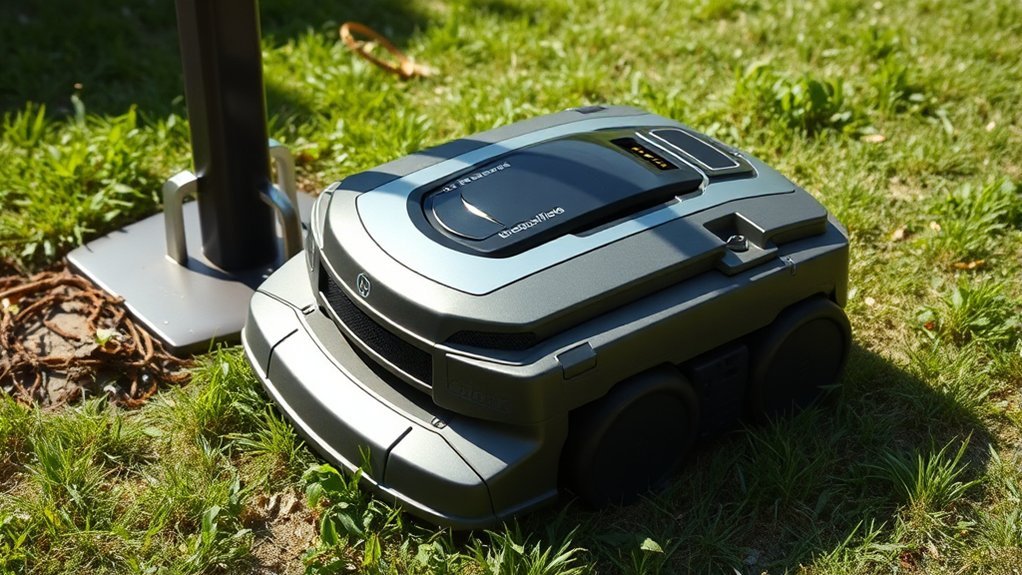
When a robot lawn mower fails to dock properly, several common issues often contribute to the problem. One key factor is improper battery calibration, which can prevent the mower from accurately detecting the charging station, leading to docking failures. Ensuring the battery is correctly calibrated helps the mower recognize its full charge capacity and improves docking accuracy. Additionally, incorrect cutting height adjustment can influence docking performance. If the mower’s blades are set too high or too low, it may struggle to navigate into the charging dock or align properly. Both battery calibration and cutting height adjustment are critical for effective docking functionality. Addressing these issues ensures the mower maintains proper alignment and communication with the station, reducing the likelihood of failed docking attempts.
How to Clean and Maintain the Charging Station and Mower Sensors
Regularly cleaning and maintaining the charging station and mower sensors is essential for reliable docking performance. Dirt, debris, or corrosion can disrupt sensor alignment, impairing docking accuracy. To ensure optimal function, inspect and clean sensor surfaces with a soft, lint-free cloth and isopropyl alcohol. Proper sensor alignment is crucial for accurate navigation; verify that sensors are straight and unobstructed. Additionally, perform battery calibration periodically to maintain proper sensor readings and communication with the station. Use the following table as a reference:
| Maintenance Task | Description | Frequency |
|---|---|---|
| Sensor Cleaning | Remove dirt and debris for clear signals | Monthly |
| Sensor Alignment | Adjust sensors to ensure proper orientation | Quarterly |
| Battery Calibration | Recalibrate sensors and station interface | Every 6 months |
Consistent maintenance ensures precise sensor detection and reliable docking.
Adjusting the Mower’s Navigation and Boundary Settings
To guarantee your mower navigates accurately and stays within designated areas, it’s essential to precisely adjust its navigation and boundary settings. Proper navigation calibration ensures the mower recognizes its environment, while boundary adjustment confines its operation.
Key steps include:
- Conduct a navigation calibration to optimize obstacle detection and path accuracy.
- Use boundary adjustment tools to refine the perimeter wire’s layout, ensuring clear demarcation.
- Verify that boundary signals are consistent across the entire area, correcting weak spots.
- Re-test the mower’s navigation to confirm accurate boundary recognition and seamless docking.
These adjustments prevent misnavigation and improve docking reliability by ensuring the mower accurately interprets boundary signals and navigates within set limits.
Troubleshooting Signal and Boundary Wire Issues
Troubleshooting signal and boundary wire issues is critical for ensuring your robotic mower docks correctly and operates within designated areas. Wireless interference from nearby electronics can disrupt the boundary signal, causing navigation errors. We recommend inspecting the boundary wire for damage or loose connections and ensuring it follows a consistent, tight loop. Signal strength may be compromised by electromagnetic interference, so relocating or shielding wireless devices can help. Additionally, proper battery calibration is essential; an uncalibrated battery may cause inconsistent communication with the docking station. Regularly recalibrate the battery to maintain ideal signal accuracy. Using a multimeter to verify boundary wire continuity and checking for sources of wireless interference are fundamental steps to resolve docking issues effectively.
When to Seek Professional Help or Consider Replacement
When persistent docking issues remain after checking boundary wires and interference sources, it may be time to seek professional assistance or consider replacing the mower. Diagnostic evaluation can identify hardware faults or firmware issues that simple troubleshooting cannot resolve. Consider the following:
Persistent docking problems may require professional diagnosis or mower replacement for optimal performance.
- Battery degradation—if the battery no longer holds sufficient charge, it may require replacement.
- Outdated software—failure to perform software updates can impair navigation and docking functions.
- Hardware failure—components like docking sensors or motors may need professional repair or replacement.
- Age of the mower—after several years, cumulative wear might justify replacement for ideal performance.
Professional service can perform thorough diagnostics, ensuring proper battery replacement, software updates, and component repair, ultimately restoring reliable docking.
Frequently Asked Questions
How Do Weather Conditions Affect Docking Performance?
Weather impact can hinder docking sensors, especially in rain or fog, causing inaccuracies. Moisture or debris may obstruct sensors, reducing docking precision; therefore, we recommend regular cleaning and weather monitoring to guarantee ideal performance.
Can Software Updates Improve Docking Reliability?
Yes, software updates can enhance docking reliability by fixing software glitches and refining firmware, which improves navigation algorithms and docking precision. Regular updates ensure your mower adapts to environmental changes and maintains ideal docking performance.
What Are the Signs of Internal Hardware Failure?
Signs of internal hardware failure include abnormal battery degradation, causing power issues, and sensor malfunctions that disrupt docking. We recommend inspecting these components regularly to guarantee reliable operation and prevent further damage.
How Long Does a Typical Repair or Replacement Process Take?
Typically, repairs or replacements take about one to two weeks, considering battery lifespan assessments and precise user calibration. We guarantee thorough diagnostics to minimize downtime, so your mower can resume peak performance swiftly and reliably.
Are There Specific Brands More Prone to Docking Issues?
We’ve found that certain brands with lower reputation and mixed user reviews tend to have more docking issues, likely due to design flaws or inconsistent quality control. Always check detailed user feedback before choosing a robot mower.
Conclusion
While proper maintenance and troubleshooting can resolve most docking issues, persistent problems remind us that even the most advanced technology has limits. Just as a misaligned sensor or damaged wire can impede performance, overlooking routine checks can lead to costly replacements. Ultimately, understanding when to troubleshoot and when to seek professional help guarantees your mower remains reliable—much like a well-calibrated machine, its efficiency depends on timely care. Preventing failures keeps your lawn pristine and your equipment functioning seamlessly.