Setting up a robot mower docking station requires careful consideration of placement, power connections, and environmental factors to guarantee reliable operation. While selecting the ideal location might seem straightforward, subtle details can greatly impact performance. Proper setup is critical for consistent docking, efficient mowing, and long-term durability. To optimize your system’s functionality, understanding the key steps involved is essential—let’s explore the critical aspects that can make or break your installation.
Key Takeaways
- Choose a sheltered, flat location with strong wireless signal and minimal obstacles for the docking station.
- Connect the station to a grounded, surge-protected power outlet matching manufacturer specifications.
- Ensure a clear, obstacle-free pathway to the mower’s mowing area for efficient docking.
- Avoid placing the station near metal objects or sources of electromagnetic interference.
- Regularly check and maintain the station’s position, power, and surrounding area to ensure reliable operation.
How to Choose the Best Location for Your Docking Station
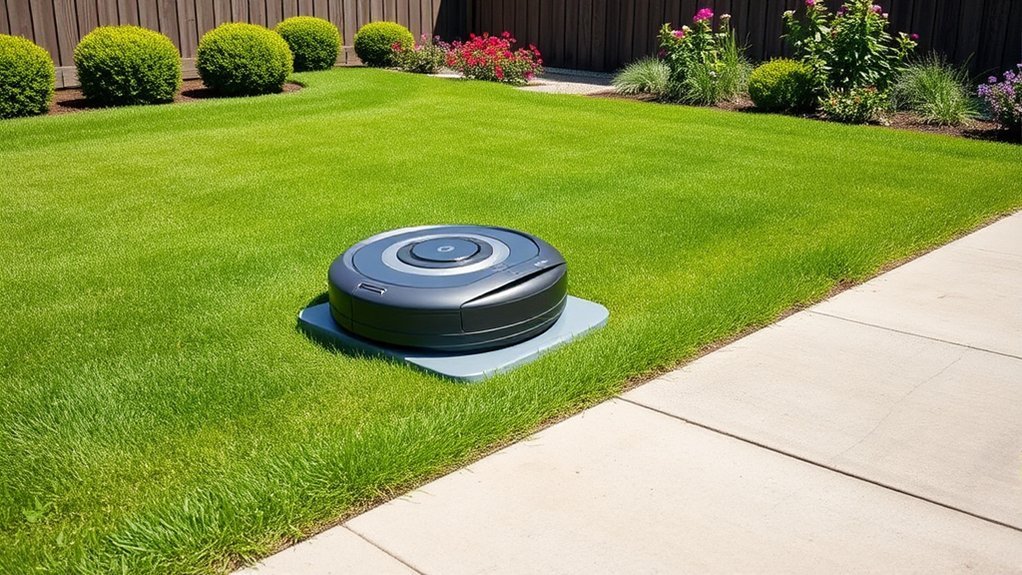
Choosing the most suitable location for your robot mower’s docking station is critical to guaranteeing efficient operation and ease of maintenance. We must prioritize a spot with strong wireless connectivity to prevent communication disruptions, which can impair docking accuracy and scheduling. Environmental considerations are equally important; select a sheltered area protected from harsh weather, debris, and excessive moisture, to prolong device lifespan and reduce maintenance needs. Avoid placing the station near metal objects or electromagnetic interference sources, as these can weaken wireless signals. Additionally, choose a flat, stable surface to ensure proper alignment and stability during docking. Proper site selection minimizes operational interruptions and simplifies troubleshooting, ultimately leading to more reliable and efficient robot mower performance.
How to Properly Connect the Docking Station to Power
To guarantee your robot mower operates reliably, it’s essential to connect the docking station to a stable power source correctly. First, verify that the power outlet matches the docking station’s voltage and amperage requirements, ensuring battery compatibility and safe operation. Use a grounded outlet to minimize the risk of power surges, which could damage internal components. Install a surge protector if necessary, especially in areas prone to voltage fluctuations. Follow the manufacturer’s instructions to connect the power cable securely, avoiding loose connections that could cause intermittent power loss. Confirm that the power supply delivers consistent and clean power to prevent potential malfunctions. Proper wiring and protection against power surges are vital for maintaining the docking station’s longevity and the mower’s overall performance.
How to Position the Docking Station for Optimal Performance
To guarantee ideal performance, we must position the docking station with a clear pathway for the mower’s navigation system. It’s vital to maintain a proper distance from obstacles to prevent navigation errors and docking issues. Precise placement minimizes downtime and maximizes efficiency during operation.
Clear Pathway for Navigation
Have you considered how obstacles in the docking station’s immediate vicinity can impair your robot mower’s navigation? An obstructed pathway can disrupt wireless connectivity, leading to docking failures. Environmental factors like uneven terrain, debris, or dense foliage can also interfere with signal transmission and sensor accuracy. To optimize performance, guarantee the pathway is free of obstructions that could cause signal reflection or interference.
- Remove physical barriers such as rocks, tools, or overgrown plants
- Minimize environmental factors like high grass, leaves, or snow around the station
- Maintain a clear line of sight for wireless signals to prevent signal degradation
A well-maintained, obstacle-free pathway guarantees reliable wireless connectivity and smooth navigation, ensuring your mower docks efficiently and consistently.
Proper Distance From Obstacles
Positioning the docking station at an appropriate distance from surrounding obstacles is essential for ideal robot mower performance. Proper obstacle placement guarantees unobstructed navigation and efficient docking. We recommend placing the station at least 1.5 meters away from large objects like trees or garden furniture to prevent interference. When considering lawn slope, ensure the station is on a flat, level surface; excessive incline can hinder docking accuracy and charging effectiveness. Avoid placing obstacles directly in the mower’s path or within the immediate vicinity of the station, as this can cause navigation errors. Adjust placement based on obstacle size and lawn topography, maintaining clear space for smooth maneuvering. Accurate positioning minimizes operational disruptions and maximizes the mower’s overall efficiency.
Common Mistakes to Avoid When Setting Up Your Docking Station
When setting up your robot mower’s docking station, overlooking precise placement details can lead to operational inefficiencies and increased maintenance issues. Common mistakes include neglecting to verify robot compatibility, which can cause connection and navigation problems. Failing to take safety features into account may result in unsafe operation or damage, especially if obstacles are nearby. Additionally, improper alignment can hinder the mower’s ability to dock reliably. To avoid these issues, ensure:
Properly positioning your robot mower’s docking station ensures safe, reliable operation and minimizes maintenance issues.
- The docking station’s compatibility matches your mower model.
- Safety features like obstacle sensors are active and unobstructed.
- The station is positioned on a level, stable surface with clear access paths.
How to Ensure Your Mower Finds and Returns to the Docking Station
To guarantee your mower reliably finds and returns to the docking station, it’s essential to optimize the station’s placement and configure the navigation settings accurately. Position the dock in an open, unobstructed area, ideally against a wall, to maximize signal strength and prevent interference. Ensure the station is close enough to the mowing area to minimize travel time, which improves charging efficiency. Adjust the mower’s navigation parameters to enhance signal reception and eliminate dead zones, considering the placement of sensors or beacons if available. Regularly check for obstacles or debris around the dock that could obstruct signal transmission. By fine-tuning placement and settings, you enhance the mower’s ability to locate the station swiftly, ensuring consistent charging and reliable return operations.
Troubleshooting Tips for Docking Station Setup Issues
If your robotic mower is struggling to dock reliably, troubleshooting begins with verifying that the docking station’s placement and connections are correct. Make certain the station is positioned on a flat, level surface with unobstructed access to the mower’s path. Check that power cords are firmly connected and that the station is receiving consistent power. Signal interference from nearby electronic devices can disrupt communication, so relocate sources of interference. Additionally, perform a battery calibration on the mower to ensure accurate docking behavior.
Ensure docking station is level, clear, and powered; minimize interference; calibrate mower for reliable docking.
- Confirm that the docking station’s sensors are clean and unobstructed
- Minimize signal interference from wireless devices or metal objects
- Recalibrate mower’s battery to optimize docking accuracy
Maintaining Your Docking Station for Long-Term Reliability
Regular maintenance is crucial to guarantee your docking station remains reliable over time. We recommend routinely inspecting and cleaning the wireless connectivity components to prevent signal interference or degradation. Securing a stable wireless connection is critical for seamless communication between your mower and the station. Additionally, battery maintenance is essential; check the station’s power supply and replace batteries as needed to avoid operational failures. Keep contacts and charging ports free of debris to maintain peak charging efficiency. Periodic firmware updates can enhance system stability and connectivity. Maintaining a clean, interference-free environment around the docking station reduces potential disruptions. By adhering to these practices, you ensure consistent performance, prolong device lifespan, and secure long-term reliability of your robot mower setup.
Frequently Asked Questions
Can the Docking Station Be Placed Indoors or Outdoors?
We can place the docking station indoors or outdoors, depending on its design. For indoor placement, guarantee proper ventilation; for outdoor suitability, verify weather resistance and secure positioning to prevent environmental damage.
What Safety Precautions Should I Take During Setup?
We wear safety gear and guarantee electrical safety by disconnecting power, checking wiring, and maintaining a clear workspace. These precautions prevent accidents, protect equipment, and promote safe, efficient setup during docking station installation.
How Often Should I Clean or Service the Docking Station?
We recommend cleaning and servicing the docking station monthly, focusing on battery maintenance and weather considerations, such as removing debris and checking seals, to guarantee peak performance and longevity, especially during harsh weather conditions.
Is It Necessary to Update Firmware for the Docking Station?
Firmware updates are essential; over 70% of docking station malfunctions can be prevented with timely updates. We recommend regularly checking for firmware updates to maintain peak functionality, ensuring your docking station remains compatible and efficient in operation.
What Should I Do if My Mower Cannot Locate the Dock?
If your mower can’t locate the dock, we recommend recalibrating the mower, removing obstacles, and ensuring the docking station’s sensors are clean. These steps improve signal clarity, helping the mower accurately find and dock efficiently.
Conclusion
By carefully selecting and maintaining our docking station, we guarantee our robot mower operates seamlessly, much like a precision instrument. Regular checks and proper setup prevent issues before they arise, much like tuning a fine-tuned engine. Think of it as nurturing a high-performance vehicle—attention to detail guarantees reliability and efficiency. When we follow these best practices, we’re not just setting up equipment; we’re engineering consistent, long-term performance for a beautifully maintained lawn.