The emergency stop button on a robot lawn mower is a critical safety component that guarantees immediate deactivation during emergencies. Proper placement, regular testing, and maintenance are essential for reliable operation and quick response. Understanding how it functions and where it should be located can considerably reduce risks. Yet, many users overlook its importance or misuse it, which raises questions about best practices and improvements—topics we will explore to enhance overall safety and system dependability.
Key Takeaways
- The emergency stop button immediately disconnects power, halting the mower and blades during emergencies.
- Proper placement and clear labeling ensure quick access and response in critical situations.
- Regular testing and maintenance of the E-stop system confirm reliable operation and safety compliance.
- Troubleshoot wiring, batteries, and sensors if the E-stop fails to activate properly.
- Upgrading or adding emergency stop buttons enhances overall safety and quick response capability.
What Is the Emergency Stop Button on a Robot Lawn Mower?
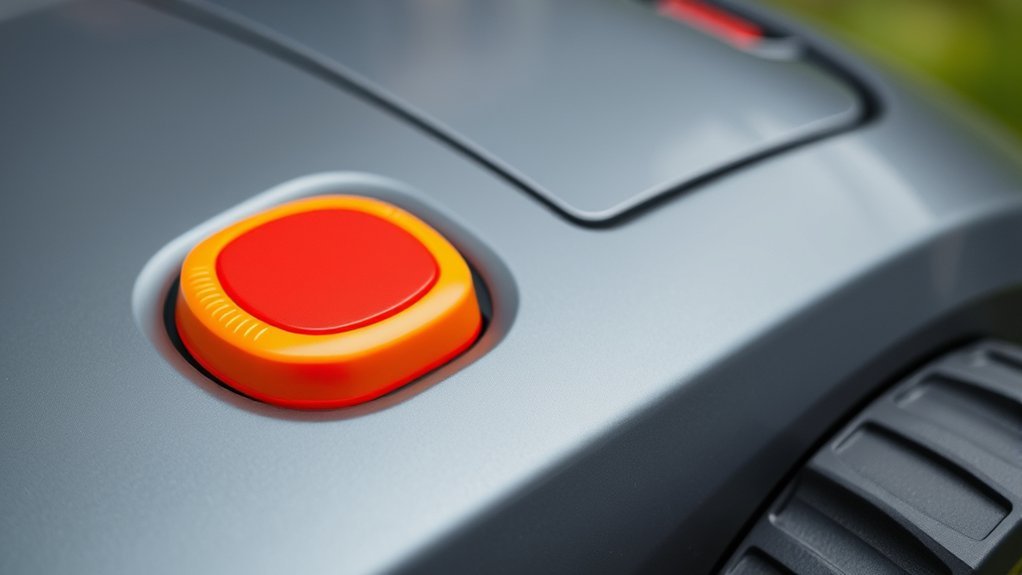
What exactly is the emergency stop button on a robot lawn mower? It’s a critical safety feature designed to immediately halt the mower’s operation when triggered. This button functions as an instant disconnect, cutting power to the motor and stopping blade movement. Proper battery maintenance is crucial to guarantee the emergency stop system functions reliably, as low or unstable power can impair response time. Additionally, regular mower calibration ensures that the emergency stop mechanism remains accurately aligned with the mower’s sensors and control systems. When pressed, the emergency stop overrides all other commands, providing a fail-safe in emergency situations. Its integration into the mower’s safety protocol is essential for preventing accidents and allowing quick, effective responses during unforeseen events.
Why Is the Emergency Stop Button Crucial for Safety?
The emergency stop button serves as a vital safety feature that can prevent accidents and minimize damage during malfunction or unexpected situations. It is integral to emergency preparedness and safety protocols, enabling immediate shutdown of the mower to avoid injury or property damage. Proper placement and accessibility guarantee rapid response in critical moments.
| Feature | Benefit |
|---|---|
| Immediate activation | Reduces risk during system failure or hazards |
| Clear visibility | Ensures quick identification during emergencies |
| Easy access | Facilitates rapid response, minimizing harm |
This button enhances safety by providing a reliable means to halt operations instantly, aligning with safety standards and reducing liability risks. Its role in emergency preparedness underscores its significance in thorough safety protocols.
How Does the Emergency Stop Button Work in Practice?
When an emergency arises, pressing the stop button immediately disconnects the lawn mower’s power supply, halting all moving parts within milliseconds. This rapid response prevents potential injury or damage. In practice, the emergency stop circuit is designed with fail-safe mechanisms that cut power instantly upon activation. Regular battery maintenance guarantees the system functions reliably, as a depleted or poorly maintained battery can delay shutdowns. The user manual provides specific instructions to verify that the emergency stop button is correctly wired and operational. Once activated, the system requires a reset before normal operation resumes. This process emphasizes the importance of understanding both the hardware setup and the maintenance routines necessary to guarantee prompt and effective emergency responses.
Where Are Emergency Stop Buttons Typically Located?
Emergency stop buttons are strategically located to guarantee quick accessibility in critical situations, often within arm’s reach of the operator. In garden landscaping, they are typically positioned on the robot’s control panel, allowing immediate shutdown during robot maintenance or unexpected obstacles. Additional buttons may be placed on the mower’s body, especially near access points or handles, to facilitate swift intervention. For larger or complex systems, emergency stops can be located on external control stations or nearby fixtures, ensuring rapid response even if the robot is out of direct view. Proper placement minimizes response time during emergencies, reducing damage risk or injury. Consistent positioning across models enhances user familiarity, supporting safe operation and efficient garden landscaping management.
How to Use and Test Your Robot Mower’s Emergency Stop Button
To guarantee proper function, we start by locating the emergency stop button and confirming its accessibility. Next, we follow standardized testing procedures to verify it responds correctly during activation. Finally, we comprehend the reset process necessary to resume mower operation after an emergency stop has been triggered.
Locating the Emergency Button
Locating the emergency stop button on your robot mower is a straightforward process that guarantees quick access in urgent situations. Typically, the emergency button locations are clearly marked and positioned within easy reach on the mower’s main body or control panel. These buttons are often distinguished by their bright color, such as red, and may be labeled “STOP” or “EMERGENCY.” It’s essential to familiarize yourself with the exact placement of the emergency button on each specific model, as locations vary between manufacturers. Some robot mowers feature a physical button on the top surface, while others may have a side-mounted switch. Confirming the precise emergency button location ensures immediate response during critical moments, minimizing potential damage or injury.
Proper Testing Procedures
Regularly testing your robot mower’s emergency stop button is essential to guarantee it functions reliably when needed. Proper testing verifies the button’s design considerations are effective and that users are trained to respond promptly. To test, activate the emergency stop during operation, confirming the mower halts immediately, then reset according to manufacturer instructions. Regular tests verify system responsiveness and identify potential issues.
| Step | Description |
|---|---|
| Initiate Test | Press the emergency stop button during mower operation. |
| Confirm Halt | Ensure the mower stops movement instantaneously. |
| Reset Procedure | Follow manufacturer guidelines to restart the mower. |
This process emphasizes the importance of design considerations and user training for reliable emergency response.
Resetting After Activation
After activating the emergency stop button, resetting the robot mower correctly is essential to guarantee safe and reliable operation. Begin by inspecting the mower for any signs of damage or obstructions, making certain proper battery maintenance before restarting. Confirm that the battery is fully charged and securely connected, as low or compromised power can impair recovery. Weather considerations are critical; if the mower was stopped due to adverse conditions like rain or high humidity, wait until the environment stabilizes and the mower dries thoroughly. Once these checks are complete, press the reset button or switch to re-enable the system, following manufacturer instructions. Conduct a functional test to ensure the emergency stop disengages correctly and the mower resumes normal operation, verifying that all safety features are operational.
Common Issues and Troubleshooting Emergency Stop Functions
When the emergency stop (E-stop) button on a robot lawn mower is activated unexpectedly, identifying the root cause is essential for prompt resolution. Common issues include power supply disruptions, faulty wiring, or sensor malfunctions. Poor battery maintenance can lead to voltage fluctuations that trigger false E-stop activations; ensuring batteries are properly charged and connections are secure is critical. Additionally, outdated software may cause communication errors or misinterpretations of safety signals, so regular software updates are necessary to maintain proper E-stop function. Mechanical issues, such as debris lodged near the E-stop button, can also cause unintended activation. Systematic troubleshooting involves inspecting wiring integrity, verifying battery health, and confirming the latest firmware is installed to prevent recurring false triggers.
Upgrading or Adding Emergency Stop Features to Your Mower
Enhancing your robot lawn mower’s safety features by upgrading or adding emergency stop (E-stop) capabilities is a critical step in guaranteeing reliable operation and user safety. Properly integrating emergency stop upgrades involves evaluating the current E-stop system, verifying its compliance with safety standards, and installing a fail-safe mechanism if necessary. During routine robot mower maintenance, inspect existing E-stop components for wear or malfunction, and replace or upgrade as needed. Adding additional emergency stop buttons at strategic locations can provide quick access in emergencies. These upgrades must be wired correctly to guarantee immediate power cutoff, minimizing potential hazards. Implementing robust emergency stop features enhances overall safety, reduces downtime, and ensures the mower responds reliably during critical situations.
Safety Tips for Operating Your Robot Lawn Mower Responsibly
To operate your robot lawn mower safely and responsibly, it’s essential to understand and follow best practices that minimize risks and guarantee reliable performance. Proper garden design ensures clear boundaries and reduces obstacles, preventing accidents. Regular mower maintenance, including blade checks and software updates, maintains excellent functionality. Always monitor the mower during initial operations until familiar with its behavior. Use the emergency stop button promptly if hazards appear. Maintain a safe distance from children and pets. Clear the mowing area of debris and uneven terrain. By adhering to these safety measures, you ensure safe operation and extend your mower’s lifespan.
| Aspect | Best Practice |
|---|---|
| Garden Design | Design boundaries to prevent off-limit areas |
| Mower Maintenance | Conduct routine checks and updates |
| Monitoring | Supervise initial runs to identify issues |
| Emergency Use | Use stop button promptly during unsafe situations |
| Area Preparation | Clear debris and obstacles for safe operation |
What to Do After Activating the Emergency Stop Button
After activating the emergency stop button, it’s essential to assess the situation before attempting any further actions. First, verify the cause of the emergency, such as an obstacle or mechanical fault, to determine if immediate lawn mower maintenance is required. Once the issue is identified, disconnect the mower from power sources if applicable. Check the battery charging status; if the battery is depleted or malfunctioning, recharge or replace it according to manufacturer guidelines. Confirm the emergency stop mechanism is reset properly before restarting the mower. Conduct a thorough inspection for damage or wear that could impair safety or operation. Only after confirming the system’s integrity and resolving the underlying issue should you proceed with routine maintenance and resume mowing activities.
Frequently Asked Questions
Can the Emergency Stop Button Be Customized or Replaced?
Emergency stop customization is possible; however, button replacement options depend on the mower model. We recommend consulting the manufacturer’s specifications and authorized service centers to guarantee compatibility and maintain safety standards before attempting any replacement.
Are There Legal Regulations Regarding Emergency Stop Buttons?
We know safety standards are essential—our team guarantees legal compliance by adhering to regulations that mandate emergency stop buttons. Like a safety net, these regulations protect users, emphasizing the importance of proper design and placement for effective emergency responses.
How Long Does It Take for the Mower to Resume Operation After Reset?
After reset, the mower typically resumes operation within 30 seconds to a minute, contingent on battery life and adherence to safety protocols, which guarantee system stability and safety before reactivation, minimizing operational delays.
Is the Emergency Stop Button Waterproof or Weather-Resistant?
We’re amazed at how the emergency stop button withstands the elements—its weatherproof coating and corrosion resistance guarantee it survives rainstorms, snow, and mud, maintaining safety even in the harshest conditions with impeccable technical precision.
Can Multiple Emergency Stop Buttons Be Connected to One Mower?
Yes, multiple connection of emergency stop buttons is possible, enhancing safety protocols. We verify proper wiring and circuitry, maintaining system integrity and compliance, to guarantee that all buttons effectively halt the mower simultaneously during emergencies.
Conclusion
In brief, the emergency stop button is a crucial safety feature that we depend on to prevent accidents and damage. Studies show that proper use and maintenance can reduce injury risks by up to 85%. Regular testing guarantees immediate response when needed, emphasizing its importance. By understanding its functionality and adhering to safety protocols, we can operate our robot lawn mowers confidently and securely, guaranteeing both our safety and peak equipment performance.