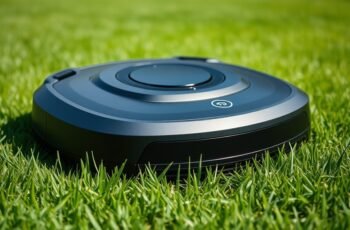
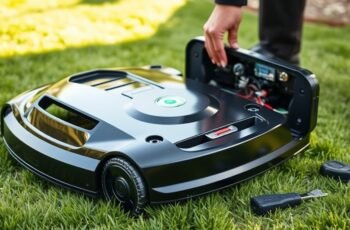
As we explore the fundamental components of a robot lawn mower charging station, it’s clear that proper understanding and installation are crucial for reliable operation. These stations serve as the hub for autonomous navigation and battery management, making their technical features and maintenance essential. To optimize your mower’s performance and longevity, it’s important to take into account various factors from setup to troubleshooting—details that can greatly influence your overall lawn care efficiency.
Key Takeaways
- Ensure the station is compatible with your mower’s battery type and voltage for safe operation.
- Properly install on a flat, stable surface near a power outlet, away from obstacles.
- Regularly clean contacts, inspect connections, and update firmware for reliable docking and charging.
- Use precise docking sensors and alignment guides to minimize downtime and docking errors.
- Perform routine maintenance, including sensor calibration and weather protection, to extend station longevity.
How Do Robot Lawn Mower Charging Stations Work?
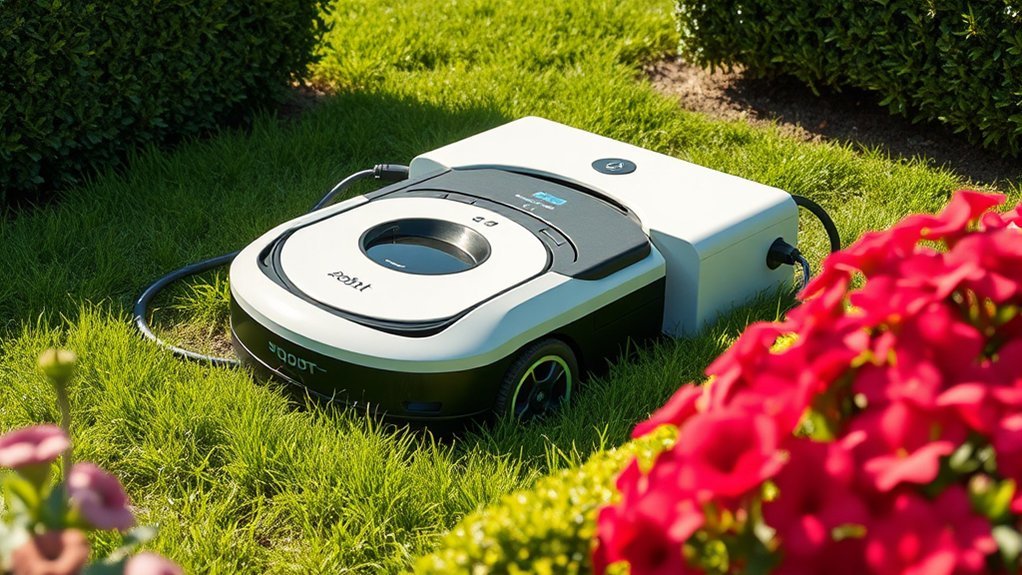
Although robot lawn mower charging stations are designed for simplicity, their operation involves a precise system of communication and navigation. The station communicates wirelessly with the mower using wireless connectivity protocols, guaranteeing seamless data exchange. This connectivity allows the mower to transmit battery status and navigation data, enabling efficient docking. Battery compatibility is critical; the station is calibrated to match specific battery types and voltages, guaranteeing safe and ideal charging. When the mower detects that its battery is low, it navigates autonomously back to the station based on pre-programmed coordinates and sensors. Upon docking, the station uses contact points or inductive charging methods aligned for maximum efficiency. This integrated system ensures reliable recharging cycles, maintaining mower performance and extending battery lifespan through precise management.
What Features Should You Look for in a Charging Station?
When selecting a charging station, understanding the key features that optimize performance and compatibility is essential. Battery compatibility is paramount; confirm the station supports your mower’s specific battery type and voltage to prevent damage and ensure efficient charging cycles. Safety features are equally critical, including surge protection, automatic shutoff, and stable power regulation to safeguard both the mower and the user. Robust construction with weather-resistant materials enhances durability, especially for outdoor installations. Additionally, precise docking sensors and alignment guides facilitate seamless connection, reducing downtime. Compatibility with the mower’s navigation system can improve charging efficiency, while LED indicators provide real-time status updates. Prioritizing these features ensures reliable operation, prolongs battery life, and maintains safety standards.
How to Properly Install Your Robot Mower Charging Station
Proper installation of your robot mower’s charging station is critical to guarantee reliable operation and safety. To achieve this, analyze your garden layout to ensure the station’s placement minimizes obstacles and provides clear navigation paths for the mower. Consider power source options carefully; the station should be close enough to a power outlet to prevent excessive cable length, which could cause tripping hazards or signal interference. When installing, keep these points in mind:
- Position the station on a flat, stable surface for consistent contact
- Ensure the charging contacts are unobstructed and clean
- Select a location with minimal foot traffic to prevent damage
- Verify the proximity to the power source, avoiding extension cords when possible
This strategic approach optimizes efficiency and safeguards your equipment.
Troubleshooting Common Charging Station Issues
Charging station issues can disrupt your robot mower’s operation, but many problems stem from straightforward causes that are easy to identify and fix. Poor battery maintenance can lead to inconsistent charging, causing the mower to struggle with power transfer or fail to dock properly. Regularly inspecting and replacing batteries as needed guarantees peak performance. Software updates are equally critical; outdated firmware may impair communication between the mower and charging station, resulting in docking errors or charging failures. Making sure the software is current helps resolve compatibility issues and improves overall reliability. Additionally, checking for physical obstructions, loose connections, or damaged power supplies can prevent common malfunctions. By focusing on battery health and keeping software updated, you can quickly diagnose and resolve many charging station problems.
Tips for Maintaining and Extending Your Charging Station’s Lifespan
To maximize the lifespan of your charging station, consistent maintenance and proactive care are essential. Proper upkeep directly impacts battery lifespan and weather resistance, ensuring peak performance over time. Regularly inspect electrical connections for corrosion or wear, preventing potential malfunctions. Keep the station clean from debris and dirt that could interfere with contact points, maintaining efficient charging cycles. Shield the station from extreme weather conditions—particularly moisture and direct sunlight—to preserve weather resistance and prevent deterioration. Additionally, periodically calibrate the charging dock’s sensors to maintain accurate alignment, supporting reliable operation.
- Clean contact points and sensors routinely
- Protect from moisture and UV exposure
- Check electrical connections for corrosion
- Monitor and update firmware for peak performance
Frequently Asked Questions
Can a Robot Mower Charge in Different Weather Conditions?
We’ve tested our mower’s adaptability; it charges in diverse weather, but weatherproofing considerations and strategic charging station placement are essential. Proper setup ensures reliable charging despite rain, snow, or sun, keeping your lawn effortlessly maintained.
How Long Does It Take for a Robot Mower to Fully Charge?
We find that a robot mower typically takes 60 to 120 minutes to fully charge, depending on battery capacity. Proper battery maintenance and optimized charging efficiency are essential for ensuring quick, reliable recharging cycles and prolonged battery lifespan.
Are There Compatibility Issues With Different Robot Mower Brands?
We find that brand compatibility issues can arise due to differing charging station standards, so it’s vital to verify that your robot mower’s brand aligns with the station’s specifications to guarantee seamless charging and peak performance.
Can I Move the Charging Station After Installation?
Yes, you can move the charging station after installation, but it requires careful consideration of charging station placement and installation flexibility. Confirm the new location maintains proper connectivity, minimal obstacle interference, and adheres to manufacturer guidelines for peak robot mower performance.
What Safety Precautions Should I Take During Installation?
Think of installation safety as the backbone of a strong structure—we must prioritize electrical precautions, guarantee proper grounding, and avoid hazards, so our setup remains secure, efficient, and free from potential electrical mishaps during installation.
Conclusion
In summary, selecting, installing, and maintaining a reliable charging station involves understanding its core functions, evaluating essential features, guaranteeing correct placement, and performing regular upkeep. By doing so, we guarantee ideal communication, seamless docking, and long-term durability. Properly managing these elements creates a system that operates efficiently, minimizes downtime, and maximizes lawn health. Ultimately, a well-maintained charging station becomes an integral part of our autonomous gardening ecosystem, fostering precision, reliability, and sustained performance.